
Masked Aadhaar and Password Guide (मास्क्ड आधार कार्ड और पासवर्ड जानकारी)
Masked Aadhaar provides an additional layer of privacy by hiding the first eight digits of the Aadhaar number. The document remains fully valid for verification and use.
How to Download Masked Aadhaar
???? Step 1: Visit the Official UIDAI Portal
You’ll be redirected to UIDAI’s secure online dashboard for all Aadhaar-related services.
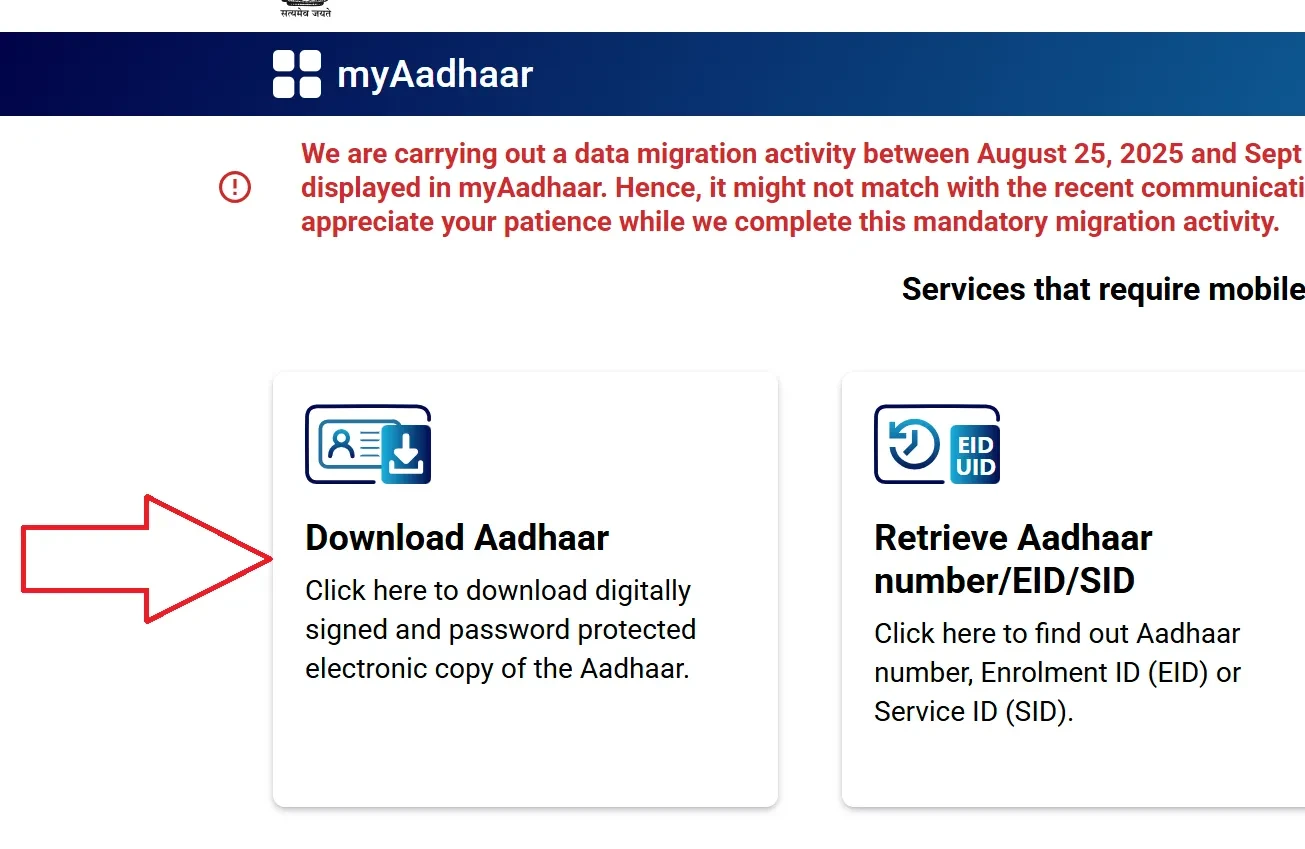
???? Step 2: Click on “Download Aadhaar”
On the dashboard, click the “Download Aadhaar” tile under the My Aadhaar Services section.
????️ Purpose of this step:
This action opens the secure Aadhaar download form where you can choose between a regular or masked version.
???? Step 3: Choose “Masked Aadhaar” and Enter Details
You’ll now see a form titled “eAadhaar Download”.
Follow these instructions:
- Enter your Aadhaar Number, Enrolment ID (EID), or Virtual ID (VID).
- Complete the captcha as shown.
- Tick “Do you want a masked Aadhaar?” (this ensures only the last 4 digits appear).
- Click Send OTP to receive a One-Time Password on your registered mobile.
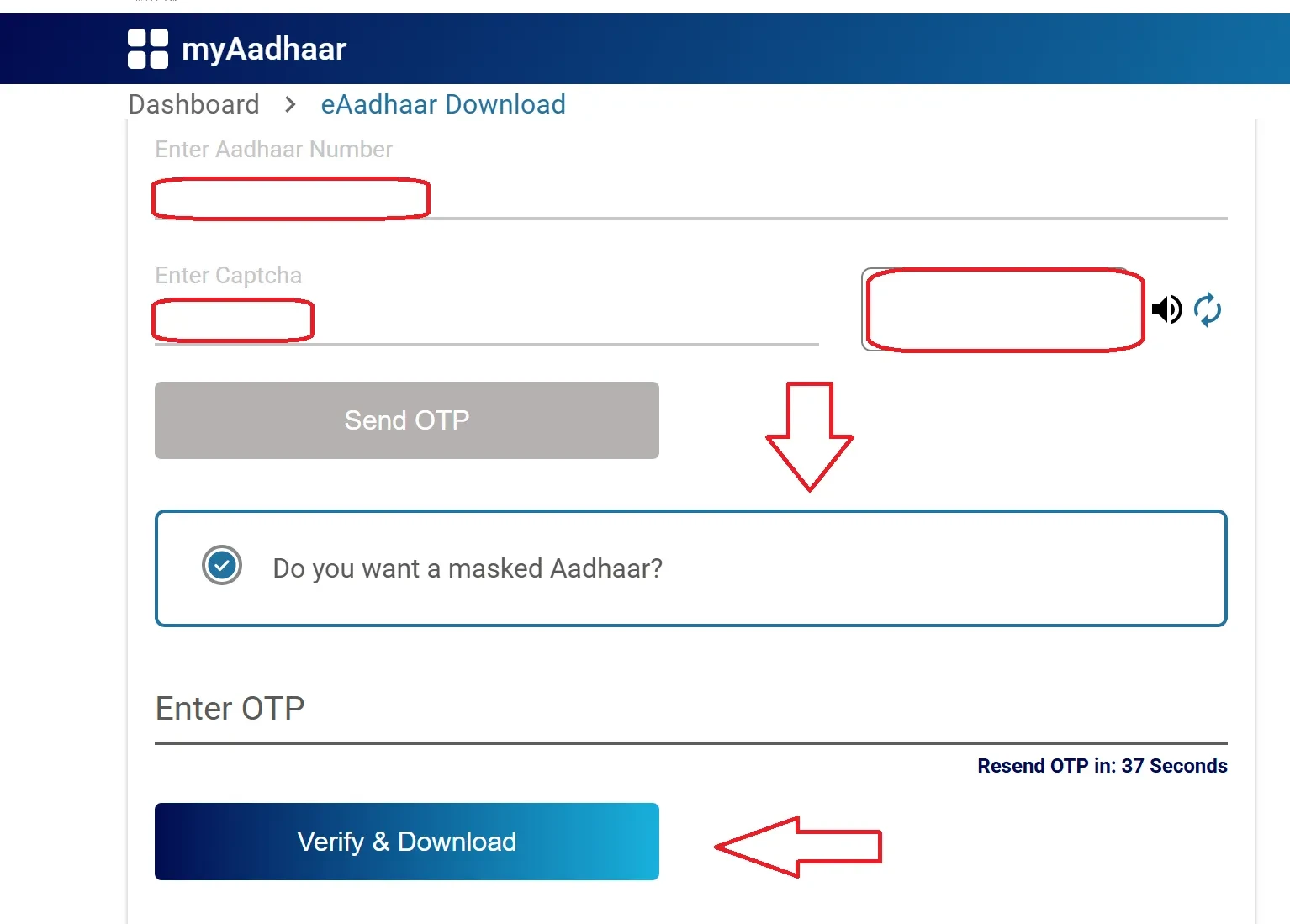
???? Step 4: Verify OTP and Download
- Enter the OTP received via SMS.
- Click “Verify & Download” to get your Masked Aadhaar PDF file.
The file will be password-protected for security.
???? Aadhaar Masked PDF & Password (पासवर्ड और मास्क्ड पीडीएफ)Password to Open Aadhaar PDF
Combine the first four letters of your name (in uppercase) with your birth year. Example: AMIT1992.
When to Use Masked Aadhaar
- When sharing Aadhaar for job applications or identity checks.
- When you do not wish to reveal your full Aadhaar number.
- For hotels, examinations, and verification where only last digits are needed.
FAQs
Is masked Aadhaar valid for all purposes?
Yes. Both masked and full e-Aadhaar are valid forms of identity proof.
Why can’t I open my Aadhaar PDF?
Check your password format carefully and use a compatible PDF viewer.